Introduction
Sometimes we can't help but have a noticeable delay between when content is requested and when it's ready to be shown. We can manage this situation by making sure people understand what's happening and limiting the time where they can't view information or take action.
Types of loading states
There are two types of loading states: indeterminate and determinate.

An indeterminate loading state is used when you don't know how long the loading process is going to take, or you know that level of detail is not relevant. Like when you see these cursors show up in macOS.
Determinate loading states are used when you know how far along the loading process is, and that providing that context to your user is valuable. Like this:
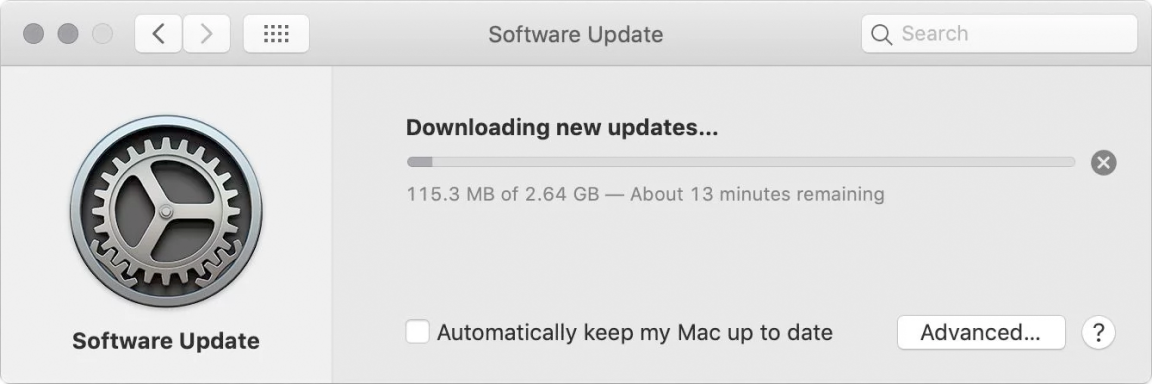
At Justworks, we can almost always get by with just indeterminate loading states. Loading processes in our interfaces are typically short and simple enough that a determinate loading state isn't necessary.
If that ever changes, of course we'll standardize on an approach to determinate loading states too. But not yet...
How we represent loading states
Spinners
As the name suggests, spinners spin indefinitely while the associated content is loading. When using a spinner, it should be centered horizontally and vertically within the space where the content being loaded will display.
Accessibility
For screen reader users, provide an accessible alternative that describes the process being waited on—not just "Loading..."
Spinner color
The spinner color should be set to a color that is appropriate for the background it's on (at least 3:1 color contrast), and the content it's replacing.
That means typically, on a white background, it should be gray 500. Other common colors would be white, or gray 900. In rare cases, other colors can be used (see Button, where the spinner might be a shade of blue or red).
Spinner size
The spinner has one size: 1.5rem (24px) square. If your instinct is to go larger to better fill a space, that's likely a sign that a skeleton is more appropriate. Keep reading!
Skeletons
Like a spinner, a skeleton also animates indefinitely… but is made up of shapes that represent an idealized version of the content being loaded.
This can create a perception of shorter loading time—it's as if the structure of the content has already loaded, and we're just waiting on the content. Also, that structure can give us a head start on understanding the soon-to-be content.
We almost always won't know the exact structure of the incoming content, and that's OK. The skeleton can be used to approximate it based on typical data.
If you can break down the content into logical chunks that load every couple seconds, in priority order, do it; rather than make people wait until all the content is loaded to see any of it. In the example below, we get to see, in order:
- The type of benefit, and the provider (and it turns out, there's only two)
- The monthly contribution amount
- The supporting images
When to use spinners vs. skeletons
The main deciding factor: typically, how long does this content take to load? Use your best guess, or for extra credit, start tracking load times in production.
0-1 seconds: Do nothing
This is such a short timeframe that the loading state won't be noticeable, and the flash of it might even be distracting or confusing.
1-3 seconds: Use a spinner
In this case, a spinner is just enough to give people the sense that content is being loaded, without being too heavy.
3-10 seconds: Use a skeleton
A skeleton can improve the perception of loading time by giving people a sense of the structure of the content being loaded.
The content within should be loaded in chunks whenever possible, prioritizing the most important content within the space.
More than 10 seconds: Fix it! Or... skeleton
In this case, your primary goal should be to decrease the loading time! But if you absolutely cannot, a skeleton is a good fallback.